
Updating to Keynote & Pages 11?
The latest generation of iWork is here: learn everything you'll need to know to make the most of the transition forward to the new generation.

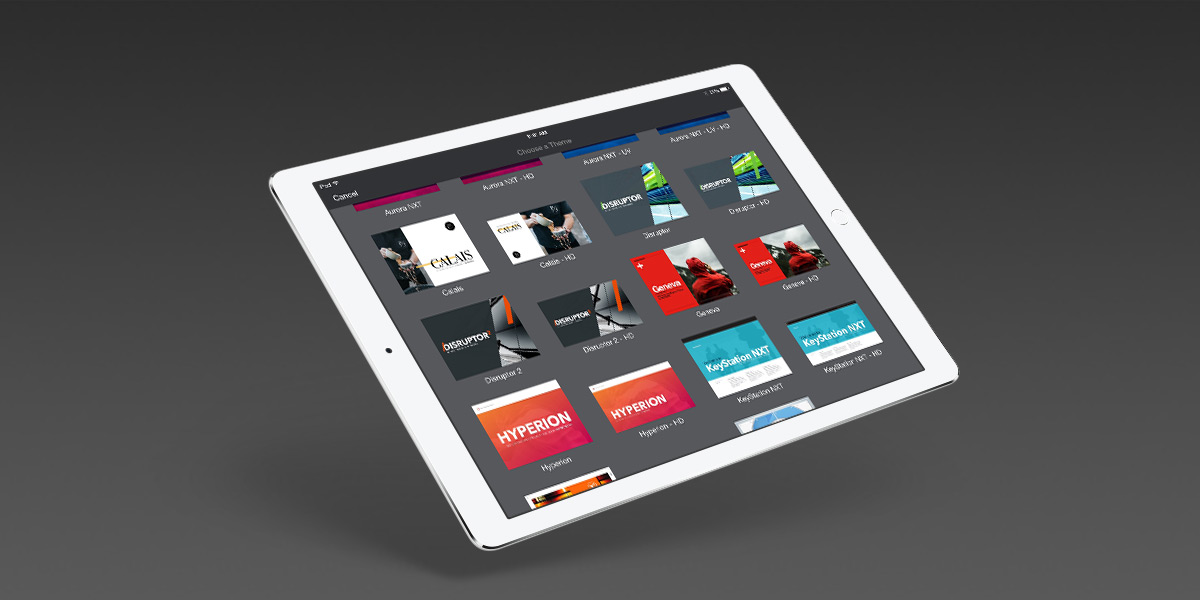
Direct Install for iOS
We're Upgrading our iOS QuickLaunch feature to support Direct Installation to Keynote for iOS:
Here's what you need to know.
Posting Interactive Presentations:
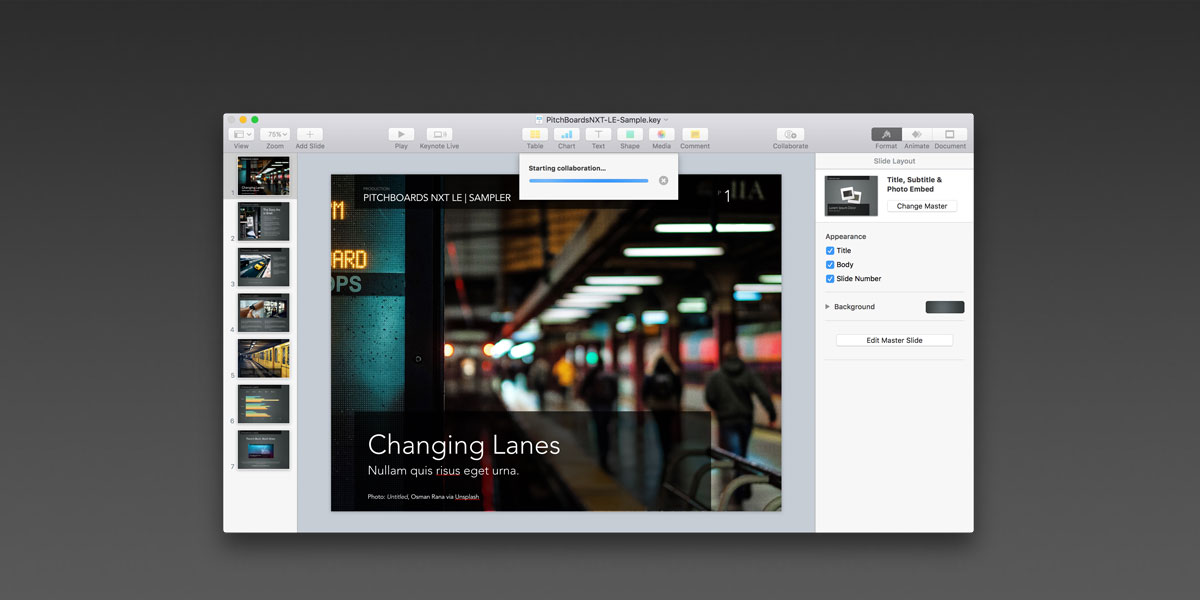
Keynote 7.1 makes it easy to post interactive presentations on WordPress, Medium
and the web - but be mindful of how much you're actually sharing.

|

|

|
Where are the KeynotePro Themes installed?

Keynote Themes (Keynote 6.x +)
KeynotePro Themes are added to the My Themes tab in the Keynote 6.x theme chooser automatically when you double-click the theme file - Right-click or Control-click a theme directly in the chooser to manage the themes you've installed.

Keynote Themes & Supplemental Materials (Keynote 2.x -5.x).
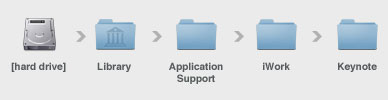
KeynotePro Themes are installed within a directory in the Library > Application Support > iWork > Keynote > Themes directory. Supplemental Materials are located in the themes folder.
Can I get Additional Downloads of my Themes?

Items in both your Active and Archival libraries are subject to a download limit of two (2) downloads per file. We're happy to enable additional downloads in most cases - just complete the Request Additional Downloads form (or click on the Request button in your downloads list) to issue a download adjustment request for your account and Customer Support will tend to it as soon as your request is approved.
Where can I find a Photo used on KeynotePro.com?

We use several sources for the sample photography shown throughout our site. Some of the photos are available on every Mac OS X system (system desktop imagery), and we have also used iStockPhoto.com extensively over the years. More recently, we've been making use of Free Stock Image sites like Unsplash and Pixabay to make it even easier for our customers to use the specific images we've curated on each of the theme pages. Please see our Free Stock Image Resources page for more information on these and other sites.
If you'd like to use one of the images you've seen on our site in your own presentation, we've made it easy: Sign in to Your Account, and navigate to the Theme Library page for the theme in question - Stock Photo References, when available for Royalty-Free use, will be listed at the bottom of the page. Mac OS X Desktop Pictures, when used, are noted by name + directory. iStockPhoto, Unsplash, Pixabay and other images are noted by site and are hyperlinked directly to the image's page on the respective site.
Tutorials
Advanced Native Photo Blends
Learn to Use Keynote's Image Adjustment Tools to fine-tune your image blends using native adjustments in Keynote 6.x-9.x Learn More....

Data Visualization: Creating Callout/Contrast Charts in Keynote 6.x - 9.x
Use this simple data visualization technique to bring clarity to your charts and keep your audience focused on the relevant data. Learn More....

Keynote Basics: Recoloring Shape-Based Keynote 6.x+ Themes
Customizing a presentation using one of our Keynote 6.x+ NXT-generation themes is easier than ever before: learn how to use the Shape Styles palette to recolor your presentation in a few simple steps. Learn More....
Latest Updates
BlackBriar Elements: Live Device Mockup TemplatesThe Elements: Live Device Mockup Templates file enables you to integrate the screen of a tethered iOS device as a Live Video source in Keynote 11.2+, with Narrative and Device-only setups for iPhone, iPhone SE, iPad, iPad Pro 11” / Air, and iPad Pro 12.9” device frames. [Sign In] |
Disruptor Elements - Live Device Mockup TemplatesThe Elements: Live Device Mockup Templates file enables you to integrate the screen of a tethered iOS device as a Live Video source in Keynote 11.2+, with Narrative and Device-only setups for iPhone, iPhone SE, iPad, iPad Pro 11” / Air, and iPad Pro 12.9” device frames. [Sign In] |
Helix Elements - Live Device Mockup TemplatesThe Elements: Live Device Mockup Templates file enables you to integrate the screen of a tethered iOS device as a Live Video source in Keynote 11.2+, with Narrative and Device-only setups for iPhone, iPhone SE, iPad, iPad Pro 11” / Air, and iPad Pro 12.9” device frames. [Sign In] |
Sonoma X Elements - Map Visualization KitThe Elements: Map Visualization Kit template file enables you to build map-based data visualizations with a full suite of Icon and Image-based Markers and Callouts, Multiple Legend styles, and a collection of editable, shape-based maps spanning The World, Continents and SubContinents, and 50+ Countries. [Sign In] |
OM X for Pages - PressKit TemplatesThe PressKit Templates enable you to export Press-Ready files for professional printing via VistaPrint, Moo, or other small-batch DLPs - including double-sided Business Card setups along with shells for pre-printing Letterhead and Envelopes. [Sign In] |
OM X for Pages - ePUB Book TemplatesThe ePUB Book Templates enable you to create & publish ePUB-optimized Books directly within Pages. As with Pages’ built-in Book Templates, the Book - Portrait templates are built to accommodate reflow and differing orientations, and are best suited to Chapter / Textbook applications. The Book - Landscape template (Pro Edition) is a fixed-layout model that provides an ePUB-optimized variation on the Horizontal Brochure. [Sign In] |
Verge for Pages - PressKit TemplatesThe PressKit Templates enable you to export Press-Ready files for professional printing via VistaPrint, Moo, or other small-batch DLPs - including double-sided Business Card setups along with oversized, trim-ready sheets for Letterhead, Envelopes, Brochures and Posters. [Sign In] |
Verge for Pages - ePUB Book TemplatesThe ePUB Book Templates enable you to create & publish ePUB-optimized Books directly within Pages. As with Pages’ built-in Book Templates, the Book - Portrait templates are built to accommodate reflow and differing orientations, and are best suited to Chapter / Textbook applications. The Book - Landscape template (Pro Edition) is a fixed-layout model that provides an ePUB-optimized variation on the Horizontal Brochure. [Sign In] |
OM X Elements - Map Visualization KitThe Elements: Map Visualization Kit template file enables you to build map-based data visualizations with a full suite of Icon and Image-based Markers and Callouts, Multiple Legend styles, and a collection of editable, shape-based maps spanning The World, Continents and SubContinents, and 50+ Countries. [Sign In] |
Inductor for Pages - PressKit TemplatesThe PressKit Templates enable you to export Press-Ready files for professional printing via VistaPrint, Moo, or other small-batch DLPs - including double-sided Business Card setups along with oversized, trim-ready sheets for Letterhead, Envelopes, Brochures and Posters. [Sign In] |


